Instrumentskanner
A 10-second phone lookup replaced a desktop PC, a T-DOC login, and a scrap of paper.
- Problem
- Finding an instrument's storage location required a desktop PC and a personal T-DOC login.
- Built for
- Sterile supply staff on the floor, including temporary staff without T-DOC access.
- My role
- Spotted the problem in daily work, then designed and built the app.
- Status
- In daily use by colleagues since launch.
healthcare · ocr · pwa
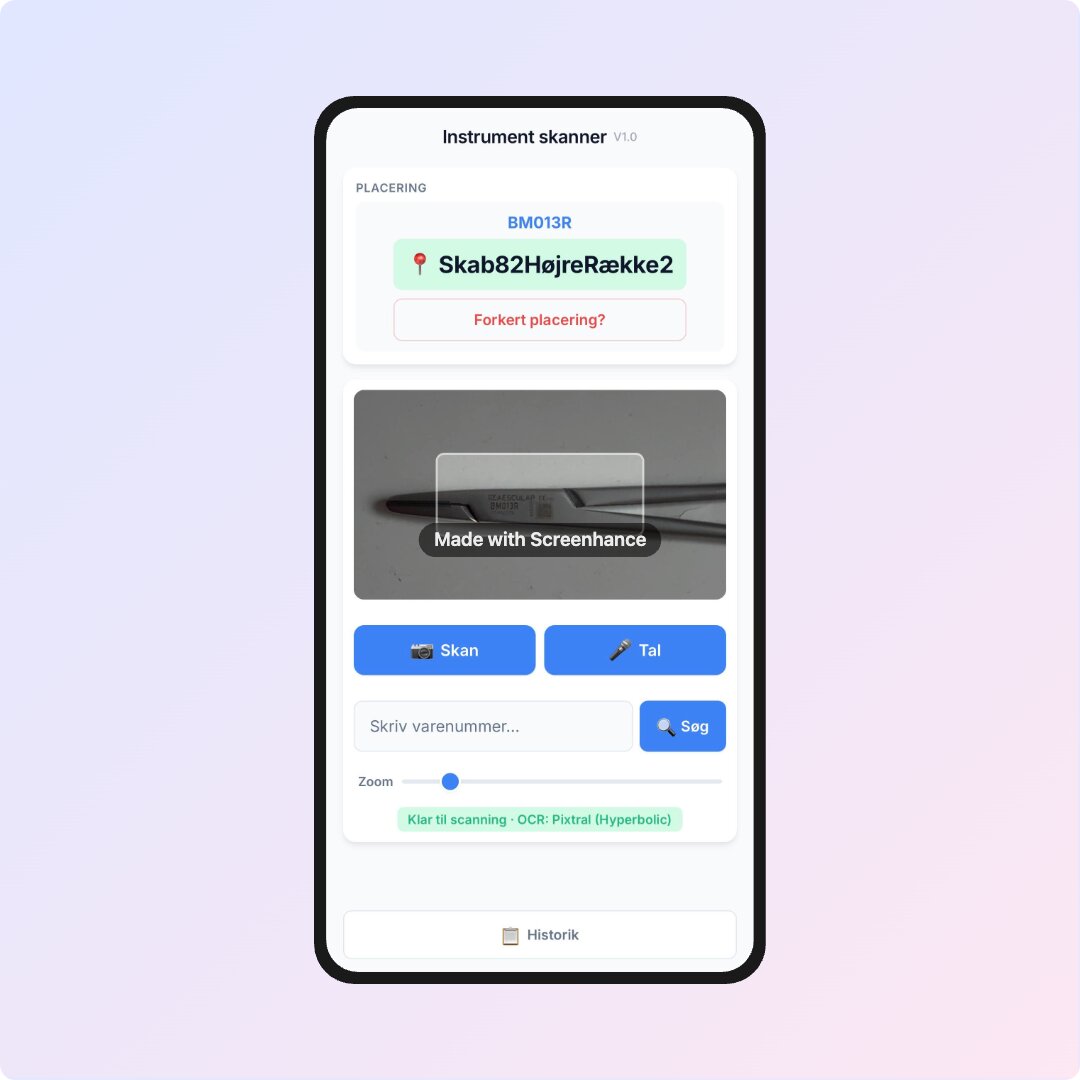
Before this app, finding where an instrument belonged meant booting up a PC, logging into T-DOC, searching each part number, and writing the location on a paper scrap. Instrumentskanner replaces that workflow with a 10-second lookup on a phone, and it’s been in daily use by colleagues on the floor since launch.
Why I built it
Staff need to locate instruments constantly, but T-DOC lives on desktop PCs and requires a personal login. Temporary staff often do not have access at all. Instrumentskanner gives staff the same lookup answer from a phone or iPad, behind a shared app password that keeps the OCR API protected.
How it works
Point the camera at an instrument label and OCR reads the part number, matches it against the local parts database, and returns the storage location. No label handy? Use Danish voice input, or type a partial number and get exact, prefix, substring, or fuzzy-matched suggestions.
Search history is saved locally for quick re-lookups and can be sorted by recency, location, or alphabetically, deleted entry-by-entry, or cleared entirely. If a location is wrong, staff can submit a correction note directly from the result.
The frontend is a mobile-first PWA that installs on iOS and Android without an app store. The parts database, recent history, and app shell are cached for fast repeat lookups, while camera OCR runs through Netlify Functions with OpenRouter as the primary provider and an optional fallback provider.