Instrumentskanner
Et opslag på 10 sekunder med telefonen erstattede en PC, et T-DOC-login og en papirlap.
- Problem
- For at finde ud af, hvor et instrument skulle stå, skulle man have en PC og sit eget T-DOC-login.
- Bygget til
- Medarbejderne på sterilcentralen, også vikarer, der ikke har adgang til T-DOC.
- Min rolle
- Jeg så problemet i det daglige arbejde og designede og byggede appen.
- Status
- Kollegerne har brugt den hver dag, siden den kom ud.
healthcare · ocr · pwa
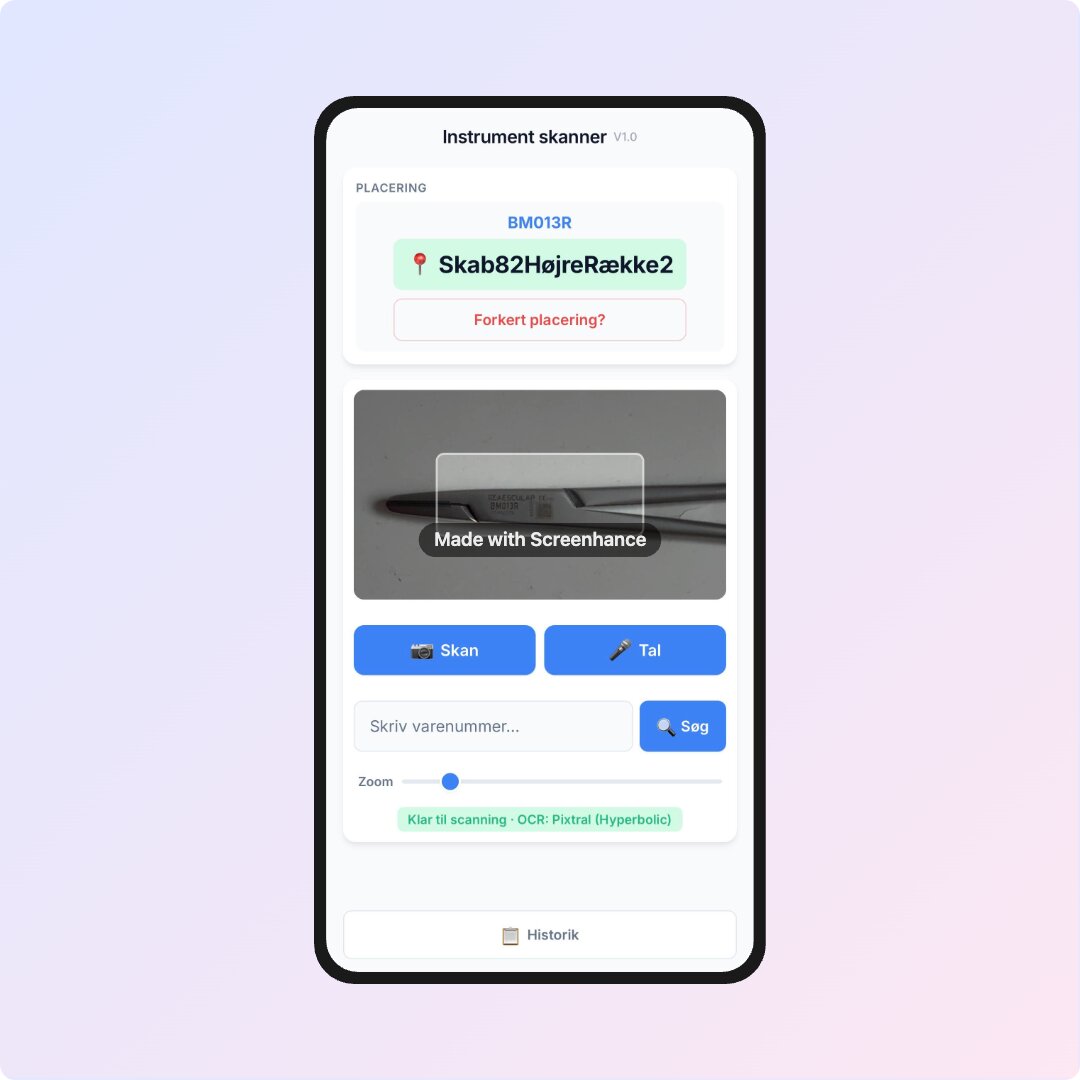
Før appen skulle man tænde en PC, logge ind i T-DOC, slå hvert varenummer op og skrive pladsen ned på en papirlap for at finde ud af, hvor et instrument hørte til. Med Instrumentskanner tager det 10 sekunder på telefonen, og kollegerne har brugt den hver dag, siden den kom ud.
Hvorfor jeg byggede det
Man skal hele tiden finde instrumenter, men T-DOC kører på PC’erne og kræver eget login. Vikarer har ofte slet ikke adgang. Instrumentskanner giver det samme svar på en telefon eller iPad. Appen er beskyttet af en fælles adgangskode, så tekstgenkendelsen ikke kan bruges af hvem som helst.
Sådan virker det
Peg kameraet mod mærket på instrumentet. Appen læser varenummeret, finder det i databasen og viser, hvor instrumentet skal stå. Er der ikke noget mærke, kan man sige nummeret på dansk eller skrive en del af det og få forslag, også hvis man har tastet lidt forkert.
Tidligere søgninger bliver gemt på telefonen, så man hurtigt kan slå dem op igen. De kan sorteres efter tid, placering eller alfabetisk og slettes en ad gangen eller alle på én gang. Står der en forkert placering, kan man sende en rettelse direkte fra resultatet.
Appen kan installeres på iPhone og Android direkte fra browseren, uden app store. Varedatabasen og de seneste søgninger ligger på telefonen, så opslag går hurtigt. Tekstgenkendelsen fra kameraet kører via Netlify Functions med OpenRouter og har en reserveudbyder, hvis den første fejler.